// PROJECT_ARCHIVE
LOADED
scarlett@lab:~$
_

ARC_01 PROJECT_ARCHIVE
Lab archive
Live systems from the Lab: stack, constraints, choices, and the notes that keep them running. Open a file for the full case.
INDEX PROJECT_FILES
Open a file for build context, choices, and operator notes
Just PSN Trophies (JPSNT)
STABLECASE SENTINEL
STABLE
Sentinel+
MAINT
MAINTAINED
PROD
PRODUCTION
SCALE
SINGLE-SITE THROUGH SMALL MULTI-ROLE INSTALLS; SENTINEL+ FOR DEEPER AUTH AND INCIDENT WORKFLOWS
RISK
LOW
BUILD_CONTEXT
Sentinel began as internal tooling for Just PSN Trophies. The site needed enough trail and context to answer “what changed” before debugging turned into guesswork. As traffic and feature surface grew, failures stopped looking like a single fatal PHP error on a white screen. They looked like patterns: memory creeping up over time, hooks firing more than once, auth edge cases, and slow queries at the wrong moment.
That problem is not trophy-site-specific. The same classes of failure appear on client WordPress sites, side projects, and small shops, often run by one person or a tiny team. Sentinel was split out as a standalone plugin so those signals stay inside WordPress, without requiring an external observability SaaS to get a coherent picture.
Scarlett Media Lab owns the product and the public channel: documentation, downloads, and the Sentinel+ tier live on getsentinel.dev. The codebase is WordPress-native, with custom tables for logs and incidents, and cron for batch work, cleanup, and digests. The goal is practical visibility for operators, not a dashboard for its own sake.
TECHNICAL_CHOICES 10 notes Batch and queue log writes instead of hammering the DB on hot paths
01
Batch and queue log writes instead of hammering the DB on hot paths
Under load, synchronous logging can amplify the failure you are trying to observe. Batching keeps overhead bounded.
02
Categorise and normalise events at capture, not only at display time
Meaningful keys at capture make filters, exports, and notifications honest. Sorting it out later is more expensive.
03
Transient-based email throttling with fail-open behaviour
Rate limits stop inbox storms. If limits cannot be applied for any reason, notifications still send rather than silently dropping.
04
Keep logging and storage local by default
Trust, cost, and compliance are simpler when the primary dataset does not depend on a vendor backhaul.
05
Split Sentinel+ as an explicit premium tier rather than degrading the free core
The baseline plugin should stay useful for small sites. Paid depth funds sustained maintenance and deeper protection work.
06
Schema changes gated on plugin version with migration checks
Upgrades should re-run table updates safely across hosts that skip minor updates or restore backups.
07
Integrate high-value WordPress plugins at the event layer where hooks are stable
Context beats a generic PHP error when the failure originates inside WooCommerce, a form plugin, or an SEO stack.
08
Ship privacy tooling next to logging
Anonymisation and a data-request shortcode often live on the same install. Splitting those workflows invites mistakes.
09
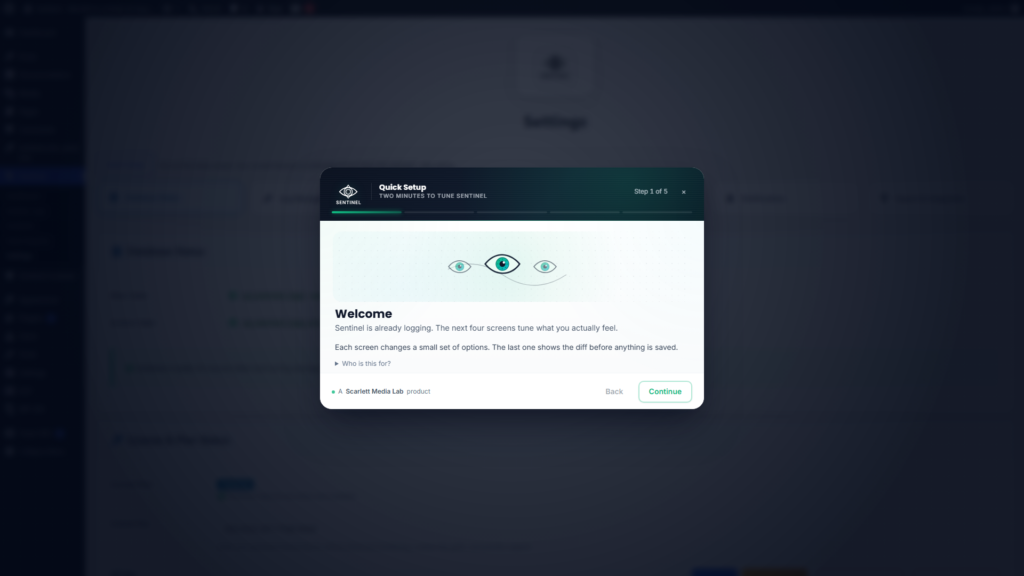
Quick Setup applies presets with an explicit diff preview before commit
New installs should not commit to defaults blind. Operators see what will change before anything is saved.
10
REST surface namespaced and capability-gated like serious wp-admin features
Automation hooks are useful. Accidental public exposure of log streams is not.
BOUNDARIES constraints Non-goals Not a hosted observability or APM product. Data stays on the…
Non-goals
- Not a hosted observability or APM product. Data stays on the WordPress install unless you export it.
- Does not replace solid hosting, backups, version control, or code review. It improves visibility when those layers slip.
- Does not send site data to third parties by default. Local-first logging is the baseline.
- Sentinel+ features are optional. Marketing should not blur “free core” and “premium depth”.
Constraints we accept
- High-traffic sites may need tuning of retention, batching, sampling, and mail settings. Defaults are conservative rather than universal.
- Third-party plugins vary. Integration coverage targets widely deployed surfaces rather than every niche stack revision.
- Premium-only screens require a valid Sentinel+ entitlement. Copy should not imply those views are universally available.
CAPABILITY_LOG 06 marks v1.0.0 · Initial public release. Core logging pipeline, admin surfaces, retention and export baseline, plugin lifecycle hooks.
v1.0.0
Initial public release. Core logging pipeline, admin surfaces, retention and export baseline, plugin lifecycle hooks.
COMPLETE
v1.1.0
Stronger search and filtering, dashboard performance work, timezone correctness. Day-to-day operator quality.
COMPLETE
v1.1.1
Lifecycle hardening: consistent cron scheduling, notification pathways that do not duplicate each other, safer catch-up behaviour on activation.
COMPLETE
v1.1.2
Email notification flood protection. Per-event cooldown and hourly caps using lightweight transients.
COMPLETE
v1.1.3
First-run Quick Setup wizard (optional licence, presets, diff preview, apply or skip) and explicit success feedback after apply.
CURRENT
Next
Continued iteration on operator clarity, integration coverage, and Sentinel+ depth. Shipped against semver with migration-safe upgrades.
PLANNED
OPERATOR_NOTES readme What it is Sentinel is a WordPress activity and security logging plugin…
What it is
Sentinel is a WordPress activity and security logging plugin aimed at people who run real sites: administrators, freelancers, and small agencies. It records meaningful admin, user, and system events, routes them through a rate-aware notification path, and surfaces them in an admin-first UI backed by local database tables rather than a remote service.
Operator-facing surface
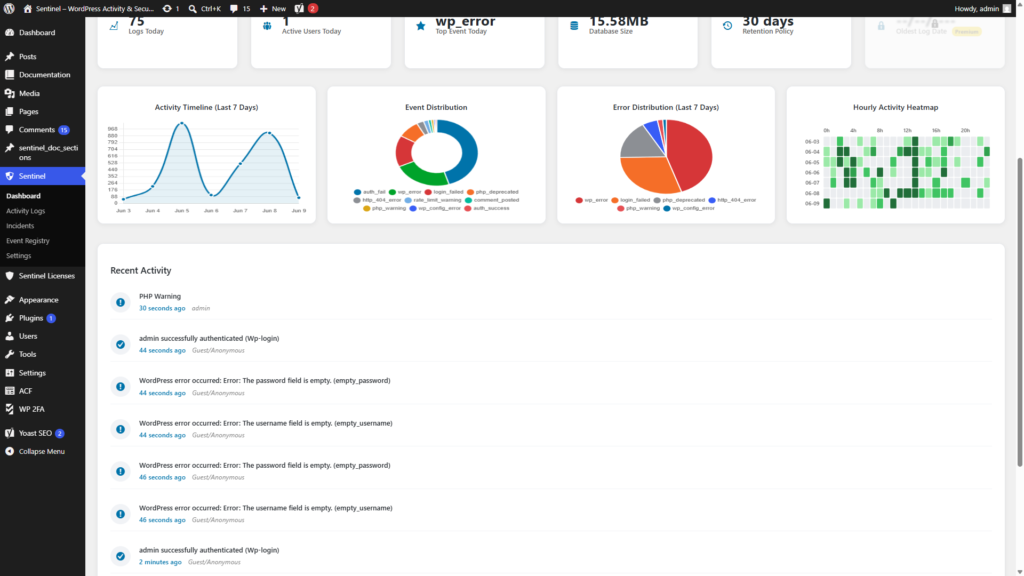
- Dashboard. Health and snapshot views, including memory insights and widgets for deeper signals where enabled.
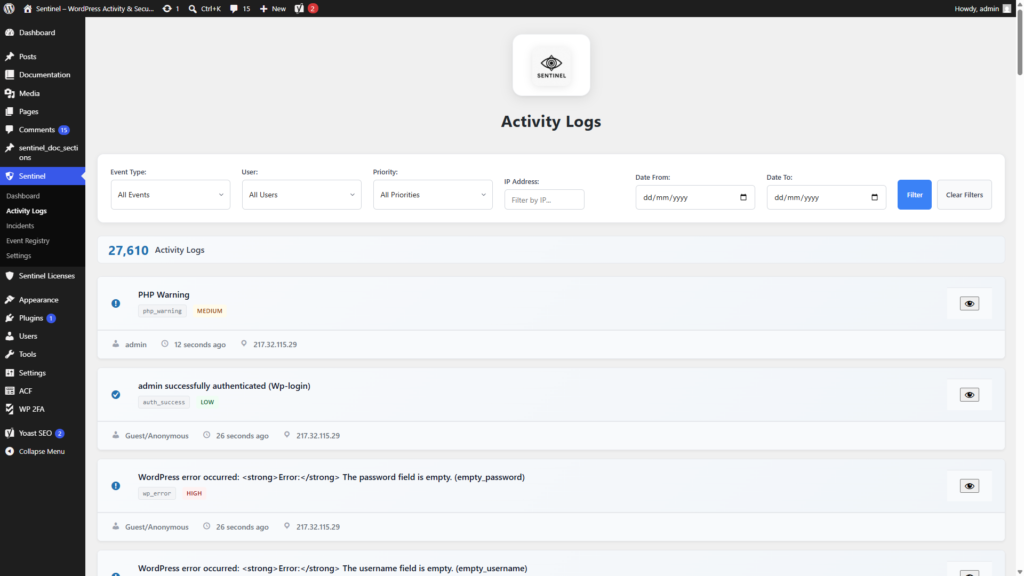
- Activity Logs. Searchable stream of captured events with filters and export paths (CSV, JSON, XML depending on build).
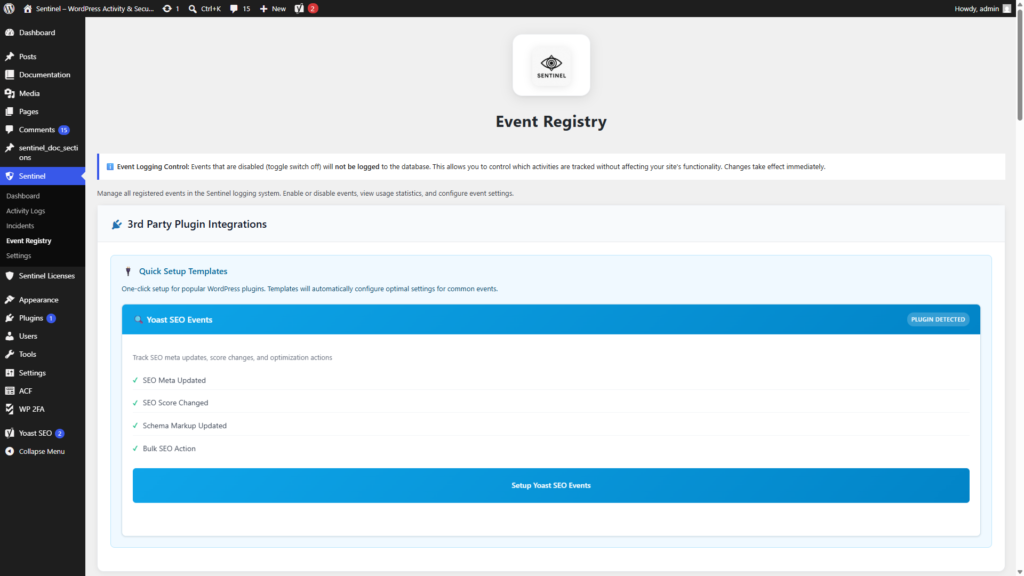
- Event Registry. Toggle which event keys are tracked. Integrations surface events from common plugins (for example WooCommerce, major form plugins, Yoast) where hooks exist.
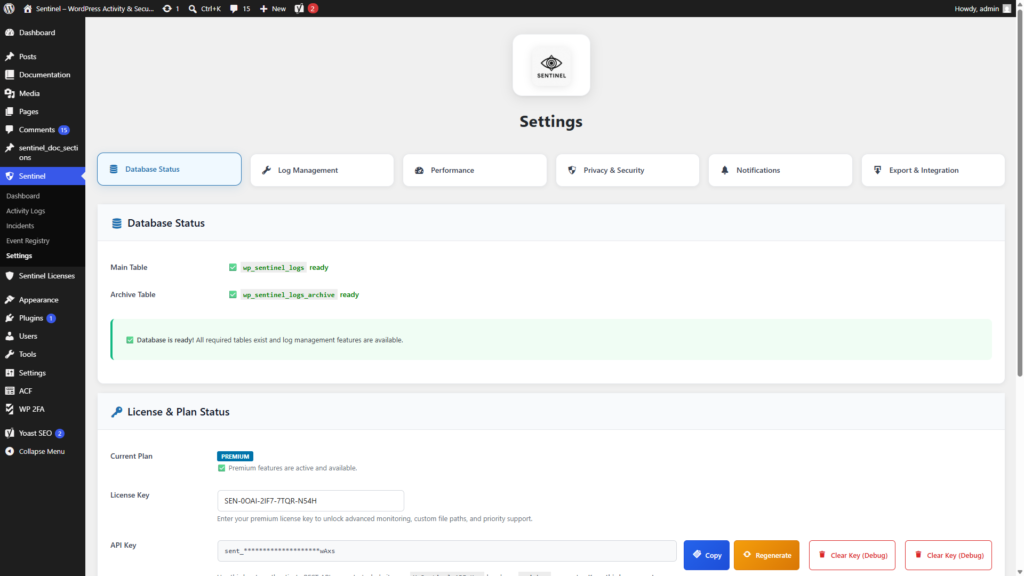
- Settings. Logging, privacy and IP tooling, retention, notification tiers, and performance sampling. Tuned so high-volume sites can throttle work rather than amplify it.
- File monitoring and memory monitoring. Integrity and performance signals with honest limits, and premium depth where Sentinel+ is active.
- Privacy toolkit. Data-deletion request shortcode flow and anonymisation scheduling aligned with retention choices.
Reliability and delivery
- Batch logging and queues. Reduces write amplification when WordPress gets noisy.
- WordPress cron. Cleanup, digest reports, retries for failed log writes, anonymiser runs, and file-check cadence. Bounded work rather than per-request synchronous writes.
- Email rate limiting. Real-time and digest mail are guarded by a per-event cooldown and an hourly cap in recent releases, so busy sites do not flood the inbox.
- Schema upgrades. Migrations run through the same version gate as
SENTINEL_VERSION. Tables are created and updated withdbDelta-style discipline.
Sentinel+
Sentinel+ is the paid tier: deeper authentication tooling (counters, allow and deny framing), incidents, and extended security-oriented views. The free core is designed to stay useful on its own. Sentinel+ adds depth where the operator actually needs more signal.
Recent shipping focus (1.1.x)
- v1.1.1 and v1.1.2. Deterministic scheduling and notification behaviour, plus email flood protection via transient-based rate limits.
- v1.1.3. Quick Setup for new installs: welcome, optional Sentinel+ licence check, monitoring and privacy presets, a preview of pending option changes, and an apply or skip path. Followed by a clear completion state after apply so operators can see the save went through.
Automation
A versioned REST API under sentinel-plugin/v1 exposes logs and stats for careful automation. Capability-gated, suitable for internal tooling rather than a public endpoint.